
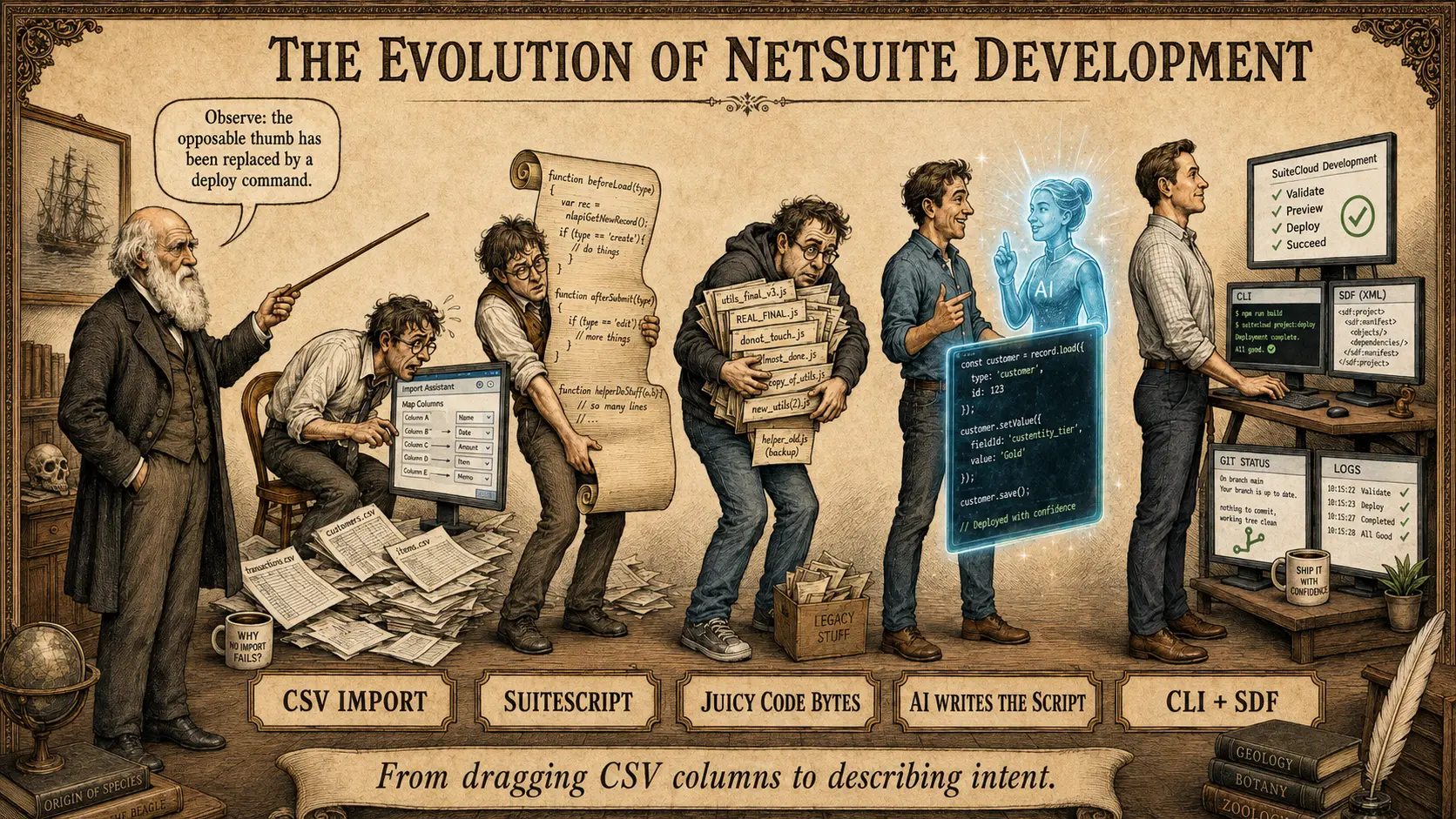
From dragging CSV columns to describing intent
There was a time when updating 2,000 records in NetSuite began with a CSV file, a browser window, and a small prayer.
You opened the Import Assistant. You selected a record type. You chose Add, Update, or the excitingly ambiguous Add or Update. Then you dragged fields from one side of the screen to the other, checked the mappings, reconsidered the mappings, checked them again—and eventually pressed the button that could alter half the company’s item master.
It worked. Usually.
But it was slow, clumsy, and dangerous in a peculiarly human way. The danger was rarely dramatic code failure. It was a fleeting choice made in a temporary browser screen: the wrong field, the wrong reference type, the wrong overwrite option, or the right file mapped to the wrong place.
There was very little durable evidence of the thinking behind the change. The CSV survived. The resulting records survived. The exact sequence of decisions in between mostly evaporated.
Then the NetSuite developer began to evolve.
Stage One: CSV Import
The early NetSuite operator can be identified by several distinctive traits: a curved spine, a furrowed brow, and an unusual ability to stare at two columns for fifteen minutes without blinking.
CSV Import was—and still is—a legitimate, useful NetSuite tool. For a straightforward, well-understood update, it may be exactly the right tool. But a browser-guided import asks a human to translate business intent into a series of one-time interface choices.
The instruction might begin simply:
Change these 2,000 records from
notImportedto the correct status.
But the operator still has to select the correct record type, identify each record properly, map the field, decide how blank values should behave, choose the update mode, and verify the results.
The computer performs the repetitive work, but the human still assembles the machine by hand every time.
Stage Two: SuiteScript
The next evolutionary leap was SuiteScript.
Instead of telling NetSuite what to do through a temporary arrangement of browser fields, we could describe the rules permanently in code:
Read this file. Find this record. Confirm that its current value is what we expect. Change only this field. Skip anything suspicious. Log every result.
For large jobs, Map/Reduce was particularly well suited. NetSuite describes it as a script type for large volumes of data that can be divided into small, independent pieces. The platform can create the necessary jobs, run them in parallel, and automatically yield and reschedule work as resource limits are approached.
That was a substantial improvement. The update became repeatable. Validation could be explicit. One bad row did not necessarily destroy the entire job. Successes, skips, and errors could be counted and explained.
There was, however, a catch.
The actual business instruction might be one sentence, but a responsible Map/Reduce script could easily consume 100 to 200 lines:
- load the CSV;
- parse quoted commas correctly;
- validate the headers;
- identify each record;
- check the existing value;
- perform the update;
- catch errors;
- respect NetSuite governance;
- log the outcome; and
- summarize the execution.
The line that changes the field may be tiny. The other 199 lines are the guardrails.
Stage Three: Juicy Code Bytes
Once we had written a useful updater, naturally we saved it.
Somewhere in the NetSuite File Cabinet—or on somebody’s laptop—there appeared a file with a name like:
my_personal_little_item_updater.js
It was precious. Those were juicy code bytes: a concentrated chunk of hard-won knowledge about NetSuite records, internal IDs, governance, mandatory fields, and all the small ways an apparently simple update could go sideways.
So we copied it. We modified it. We saved another version:
my_personal_little_item_updater_FINAL_v3_really_final.js
This was progress, but it created a new species of problem. The code was reusable, yet personal. Its history was uncertain. Its deployment record might live somewhere else. Nobody was completely sure whether the version in NetSuite matched the version on the laptop—or whether the script built for customers in 2022 was now quietly updating inventory items in 2026.
We had graduated from temporary clicks to permanent code, but not necessarily to an organized development process.
Stage Four: AI Writes the Script
Artificial intelligence changed the economics of small, purpose-built software.
A 150-line script no longer had to justify several hours of typing. I could describe the outcome in ordinary language:
Here is a CSV containing 2,000 record IDs. Change the stale
notImportedvalue, but only if the record still contains the expected old value. Do not touch anything else. Log every success, skip, and error, and give me a final reconciliation.
AI could generate the Map/Reduce structure, CSV parsing, validation, update logic, error handling, and summary code in minutes.
That does not mean the thinking disappeared. It means the typing stopped being the expensive part.
The important work moved upward:
- What exactly is the intended business result?
- Which records are authorized to change?
- What must remain untouched?
- What conditions should cause a record to be skipped?
- How will we prove that the result matches the request?
- What is the recovery plan if our premise was wrong?
AI made code cheap enough that even a one-time repair could afford real validation, logging, and reconciliation. We did not eliminate the 200 lines of guardrails. We taught something else to write them.
Stage Five: AI Meets the CLI and SDF
Then AI got access to a proper workshop.
With the SuiteCloud CLI and SuiteCloud Development Framework, the work no longer begins and ends with a loose JavaScript file. It can live in a complete, file-based SuiteCloud project containing:
- the SuiteScript source;
- XML definitions for script and deployment records;
- project dependencies;
- deployment instructions;
- configuration and preference files; and
- other supported NetSuite custom objects.
Oracle’s own documentation describes SDF as a way to build, validate, and deploy SuiteCloud projects from a local computer. NetSuite objects can be represented in XML, and the CLI can validate a project before it is deployed. Deployment and validation logs provide another layer of evidence when something succeeds—or fails.
Put that project under version control and the change becomes inspectable:
- What files changed?
- What object or deployment was added?
- What did the previous version contain?
- Did validation pass?
- Which account received the deployment?
- What did NetSuite execute?
- Which records succeeded, skipped, or failed?
This is the crucial distinction: the CLI does not magically make a change safe, and AI does not magically make it correct.
The CLI and SDF provide structure. Version control provides history. NetSuite permissions provide boundaries. Validation catches certain errors. Logs provide evidence. Backups and recovery plans provide recourse. A knowledgeable human still defines the intent and decides whether the evidence is convincing.
Safety is not one feature. It is the accumulation of constraints.
The Real Evolution: From Procedure to Intent
At first glance, the progression appears to be about speed:
Browser import → handwritten script → saved script → AI-written script → AI with CLI and SDF
But the more profound change is the gradual separation of intent from procedure.
In the browser-import era, the human personally executed much of the procedure.
In the SuiteScript era, the human encoded the procedure.
In the juicy-code-bytes era, the human reused the procedure.
In the AI era, the human described the procedure and AI wrote it.
In the AI-plus-CLI era, the human can increasingly state the intended outcome and the constraints, while AI constructs the procedure inside a controlled, inspectable delivery system.
That does not make the human less important. It makes human judgment more visible.
“Update these 2,000 records” is not enough.
“Update exactly these 2,000 records, only when the existing value is stale, change only this field, produce a before-and-after reconciliation, validate the project, retain the source and deployment definitions, and report every exception” is a specification.
And a specification is something both humans and machines can examine.
Darwin’s Missing Final Figure
The traditional evolution illustration ends with a human standing proudly upright, as though evolution has completed its work.
Our NetSuite version ends with a developer at a clean workstation, surrounded by CLI output, SDF XML, validation checks, Git history, and execution logs. On the desk is a coffee mug that reads:
SHIP IT WITH CONFIDENCE
But confidence is not certainty. The fully evolved operator is not the person who believes nothing can go wrong. It is the person who can explain:
- what is about to happen;
- why it should happen;
- what is prevented from happening;
- how we will know what actually happened; and
- what we will do if reality disagrees.
That is a surprisingly large philosophical journey from dragging CSV columns across a browser window.
Darwin raises his pointer toward the final figure and observes:
The opposable thumb has been replaced by a deploy command.
Maybe. Maybe not. But it made me think.
Publishing Notes
Suggested URL slug: evolution-of-netsuite-development
Excerpt: NetSuite bulk updates evolved from nervous browser imports to scripted automation, reusable code, AI-generated SuiteScript, and finally AI working through the SuiteCloud CLI and SDF. The real evolution was not merely speed. It was the journey from performing procedures to describing intent.
SEO title: The Evolution of NetSuite Development: From CSV Imports to AI and SDF
Meta description: A humorous history of NetSuite development—from browser CSV imports and 200-line Map/Reduce scripts to AI, SuiteCloud CLI, SDF validation, XML deployments, version control, and logs.
Hero-image alt text: Victorian Darwin points to five stages in the evolution of NetSuite development: CSV Import, SuiteScript, saved “juicy code bytes,” AI-written scripts, and a modern CLI-and-SDF workflow.
Image caption: The evolution of the NetSuite developer—from dragging CSV columns to describing intent. Illustration created with AI from an idea developed by Jim Vanpetten.
Technical References
- Oracle NetSuite: SuiteCloud Development Framework
- Oracle NetSuite: SuiteScript 2.1 Map/Reduce Script Type
- Oracle NetSuite: Map/Reduce Terminology and Automatic Yielding
- Oracle NetSuite: SuiteCloud CLI for Node.js
- Oracle NetSuite: SuiteCloud Project Validation
- Oracle NetSuite: SDF Error Handling and Logs